On Track Until It Isn’t: Read a Software Project Status Report
In short A software project status report is useful when it names its scope and links each claim to evidence a reader can inspect. "On track" is a…

Table of Contents
In short
- A software project status report is useful when it names its scope and links each claim to evidence a reader can inspect.
- “On track” is a status. Accepted, deployed and available are facts about one version, one environment and one audience.
- A register of behavior, decision, revision, environment and observation turns a status into a one-page report.
- Missing evidence is marked unknown. It is no verdict on the code or the team.
A software project status report is useful when it defines its scope and backs each claim with evidence the reader can inspect. Many reports do not. The status says “on track” and the board is green, yet the product leader cannot connect the report to accepted behavior or to anything users can reach.
A register for a synthetic example becomes a one-page report showing what is accepted, what runs and which decision comes next. The same view of progress sits behind JetRuby’s idea-to-production delivery: what was accepted and what runs, read alongside the status line. The method needs no AI and works with AI assistants too.
The example is synthetic, invented for this article: an internal access-request tracker where employees ask for access to company applications. Dates, revision codes and states are example values. The register is a working aid, not a product or a client result.
Separate a Status Claim from the State of Delivery
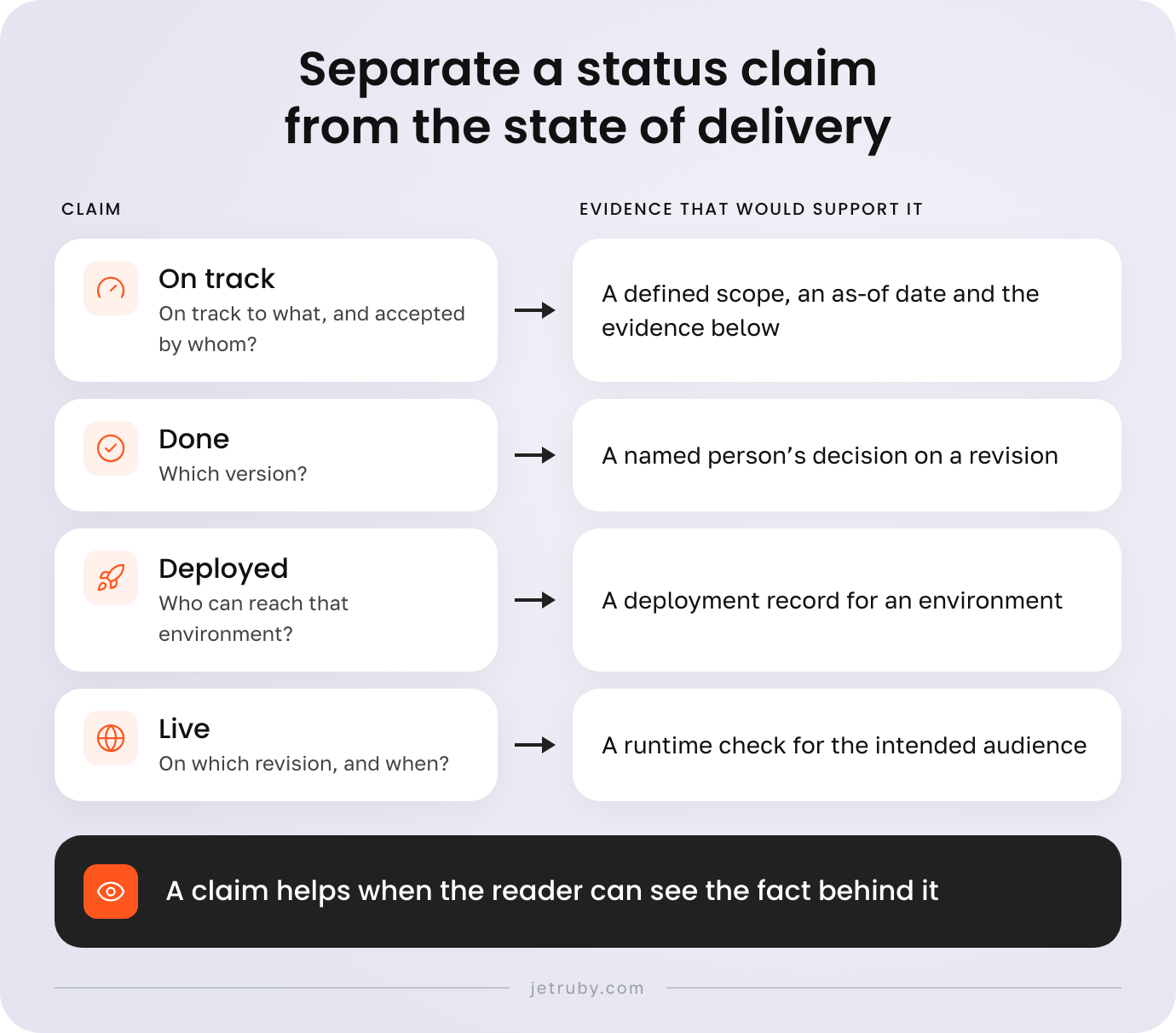
Software project status reporting usually collects labels: on track, at risk, in testing, done. Each label is a claim, and a claim helps when the reader can see the fact behind it. Software development progress tracking in a ticket tool records that someone moved a task. It does not say who checked the behavior, which version, or whether anyone outside the team can use it.
| Claim | Evidence that would support it | Question left open |
|---|---|---|
| On track | A defined scope, an as-of date and the evidence below | On track to what, and accepted by whom? |
| Done | A named person's decision on a revision | Which version? |
| Deployed | A deployment record for an environment | Who can reach that environment? |
| Live | A runtime check for the intended audience | On which revision, and when? |
Distinguish Accepted, Deployed and Available
| State | Plain meaning | Must name | Does not show |
|---|---|---|---|
| Accepted | A named person decided that one version does what was intended. | Revision, owner, date | That anyone can use it |
| Deployed | That version was released to an environment. | Revision, environment, time | That it was accepted or reaches the audience |
| Available | The intended users can reach and use the behavior. | Audience, access rules, flags | That it solves their problem |
A staging demo is not production evidence. It shows one version behaving in one environment in front of the people present.
The Scrum Guide ties the release of work to the team’s Definition of Done and describes a usable Increment. A separate product-owner acceptance step is a local choice. The register below assumes one for this example and does not present it as a Scrum requirement.
Keep Product Acceptance Separate from Technical Checks
Tests, code review and a demo answer technical questions: does the code pass, did a colleague read it. Product acceptance asks whether this version does what the owner meant. The register needs only the result: a person, a revision and a date. How that authority works is covered in the article on human acceptance of AI-generated work. A green test run goes in the evidence column and never fills the decision column.
Build an Evidence Register for One Delivery
A register has one row per intended behavior. It records the behavior, the revision in scope, the acceptance owner and decision, an evidence link, the environment and audience, the runtime observation, the gap, and the next action with its owner. Private identifiers become roles and note IDs. Intended-behavior text comes from acceptance criteria written before work started, a step covered in how to write acceptance criteria.
The example is the tracker’s first release, read as of Thursday 12 March. Production runs revision a41f, deployed Tuesday 10 March.
Register, part 1: intent and decision
| ID | State | Environment and audience | Runtime observation | Gap | Next action, owner |
|---|---|---|---|---|---|
| AR-1 | Accepted, deployed, verified | Production, all employees | Test request by QA, 11 March | None found | Re-check after next deployment, QA lead |
| AR-2 | Deployed, partly available | Production; flag on for Finance only | Finance manager approved a test request, 11 March | Intended audience is all managers | Decide on widening the flag, product owner |
| AR-3 | Accepted with exception; deployed, not verified | Production, all approvers | Reminder seen 2 March on 7c20 | Observation predates a41f | Ask engineering for a safe check, QA lead |
| AR-4 | Unknown | Production, all employees | Expiry job ran 5 March on 7c20 | a41f changed the job; no decision on it | Review the change, product owner |
| AR-5 | Insufficient evidence | Staging only | Export screenshot on staging | No decision, not in production | Ask if the demo is a decision, product owner |
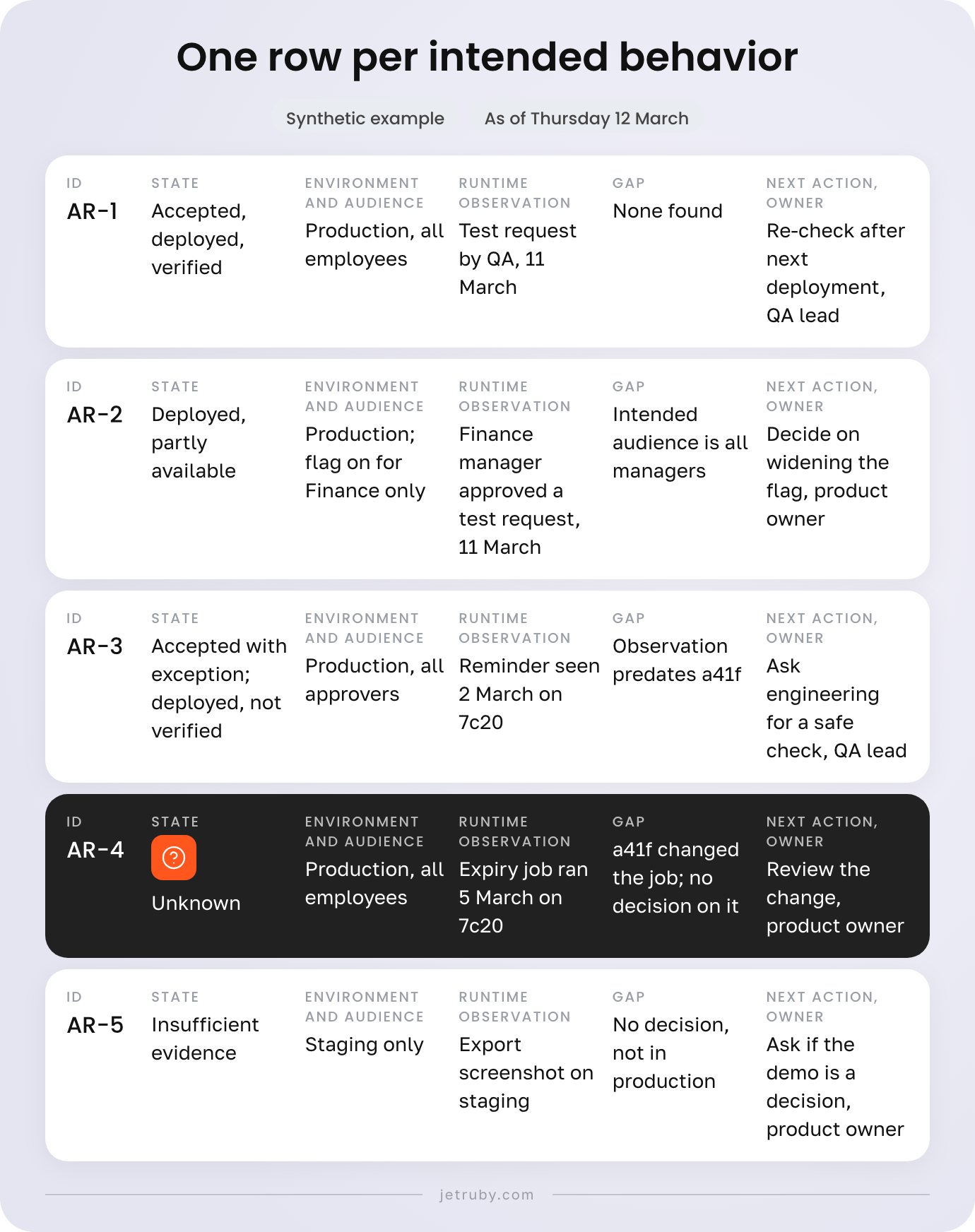
Each of these states is a legitimate answer: unknown, insufficient evidence, accepted with recorded exception, accepted not deployed, deployed not verified, deployed partly available.
Mark Missing Evidence as Unknown
| Row | What is missing | Evidence needed | Owner |
|---|---|---|---|
| AR-5 | No acceptance record, only a screenshot | A decision naming revision and person | Product owner, with the security lead |
| AR-4 | Acceptance covers 7c20, production runs a41f | A decision on a41f, or a note that the change leaves the behavior alone | Product owner, with engineering |
| AR-3 | The only runtime check predates a41f | A fresh observation on a41f | QA lead, if engineering confirms a safe check |
Unknown means there is no evidence for this revision in the register. It does not say the code is defective or that anyone hid something. Entries age, so each carries a revision and date. A gap that traces back to a decision nobody made before work began belongs at intake, covered in the Definition of Ready article.
Check What Actually Runs for the Intended Users
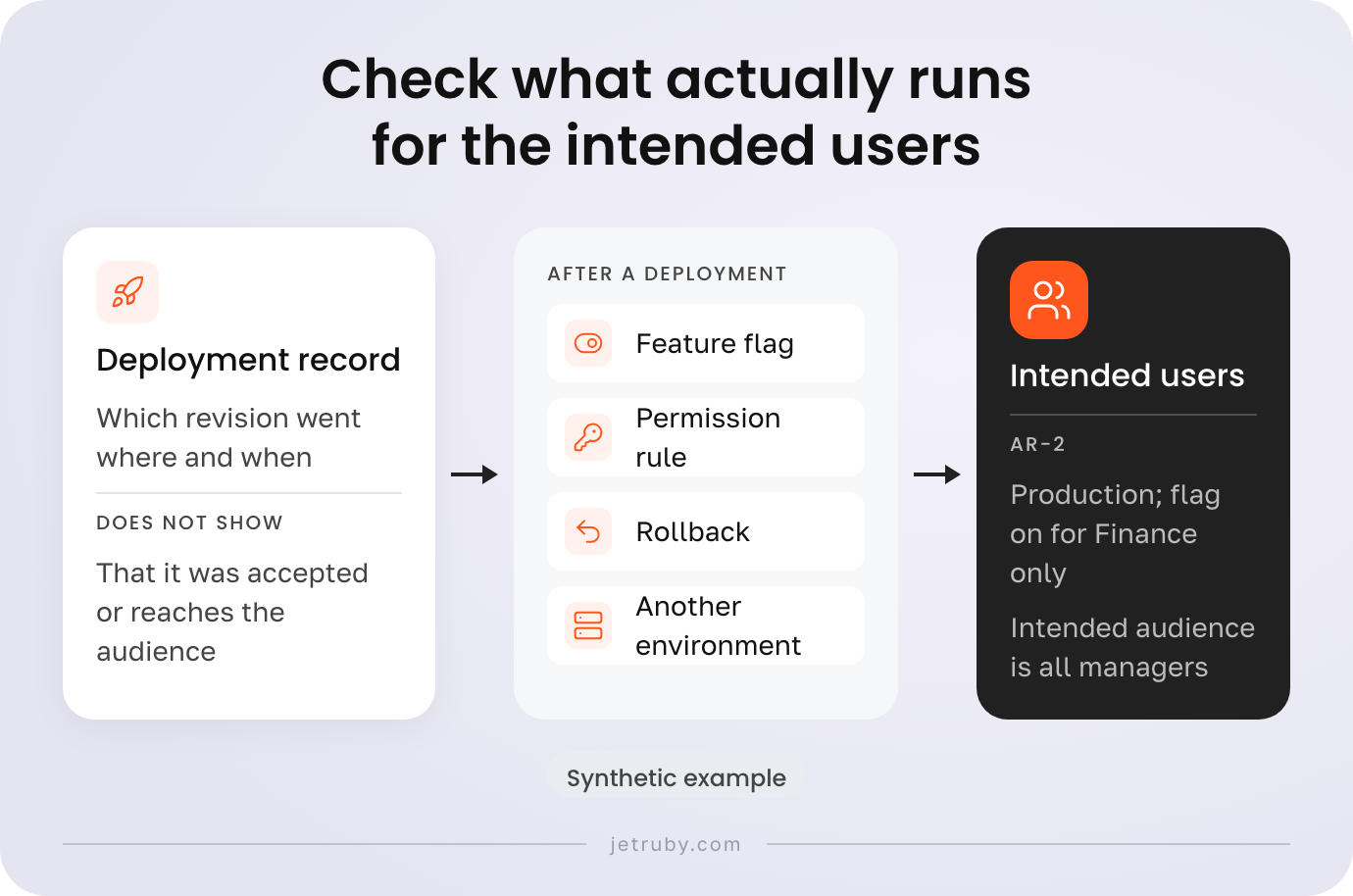
Release readiness is often read from a deployment record. GitHub’s deployment history page, for example, lists deployments by environment, with the commit behind each and the linked workflow logs. That shows which revision went where and when. It does not show whether the behavior was accepted or reaches its audience.
Four things can change availability after a deployment: a feature flag, a permission rule, a rollback, and an environment other than the one named. In the example, AR-2 is in production while its flag is on for Finance alone. Ask the people running the system for a runtime check that fits the behavior: a test request, a log line, a timestamped screenshot.
Required reviewers on a deployment job, described on GitHub’s review deployments page, add a check on the way to production. An approved job is a release step, not a business acceptance. A platform boundary the register exposes, such as how flags are structured, deserves a software architecture review checklist.

Keep User Outcome Separate from Availability
A reachable feature can still miss its purpose. The Scrum.org Evidence-Based Management guide separates inputs, activities, outputs and outcomes: what a team did differs from what users got. For the tracker, availability means managers can open the approval task. The outcome question is whether requests still sit unnoticed. The time between a request and its decision, against a baseline the business already keeps, would support an answer. The register holds none, so the report claims no effect.
Use Software Delivery Metrics Without Mistaking Them for Completion
Flow and delivery measures describe how work moves through a system, not whether a behavior was accepted. DORA’s guide groups its metrics into throughput and instability; the version updated in January 2026 lists five. The Kanban Guide defines throughput as items finished per unit of time and leaves each team to define what finished means. If “merged” counts as finished, throughput says nothing about acceptance.
| Measure | Useful question | Limit |
|---|---|---|
| Change lead time (DORA) | How long does a committed change take to reach production? | Ends at deployment, before any acceptance |
| Deployment frequency (DORA) | How often does production change? | Counts deployments, not behaviors |
| Throughput (Kanban) | How many items finish in a period? | Counts items of any size |
None converts into a percentage of business completion, and commit counts, velocity, green checks and deployment frequency stay out of the status column. For coding speed against delivery, see coding speed versus team throughput.
Review the Evidence Together with the Team
Read the register with the product owner, the engineer who knows the deployment path, and QA, asking every row the same neutral questions.
- Which revision and environment does this row describe?
- What evidence exists, and how old is it?
- What is missing, and who can supply it?
- Who decides, and what do they need?
- What is the next action, and who owns it?
The review ranks no engineer and rewards no attractive status. Preserve updates: change the row, note the date and reason, keep the old entry visible. The software delivery documentation article describes where decisions, release evidence and known limitations usually live. Reverting a recorded decision in the register does not roll back production; that is for the responsible engineers.
Turn the Evidence into a Useful Status Report
The report is the register read one level up. A software project status report template for a product leader fits on a page: scope and as-of date, what is accepted and live, what is not established, the blocker that matters, and decisions with owners. Schedule and budget stay not assessed, as the register holds no data on either.
Access-request tracker: delivery status (synthetic example)
Scope and data cutoff. First release. As of Thursday 12 March; evidence through Wednesday 11 March. Production runs a41f.
Accepted and available
- AR-1, submit a request: all employees, seen working 11 March.
- AR-2, manager approval: Finance only; the intended audience is all managers.
Accepted with exception
- AR-3, approval reminder: chat message deferred by decision. Last runtime check, 2 March, predates a41f.
Not established
- AR-4, access expiry: accepted for 7c20; no decision on a41f, which changed the job.
- AR-5, audit export: staging demo only; no acceptance record, not in production.
Blocker that matters. AR-4. The evidence does not show whether temporary access ends on its date in the running revision.
Decisions needed
- Product owner, with engineering: review the a41f change to the expiry job, then accept it or ask for rework.
- Product owner, with the IT lead: widen the AR-2 flag to all managers, or record why not.
- Product owner, with the security lead: decide whether the AR-5 demo counts as a decision.
Schedule and budget confidence. Not assessed; no data supplied.
| Date | Change | Reason |
|---|---|---|
| Tue 10 March | a41f deployed; AR-1 to AR-3 accepted | Decisions recorded |
| Wed 11 March | AR-1 and AR-2 observed in production | QA test request; Finance manager test approval |
| Thu 12 March | AR-4 moved from accepted to unknown | a41f changed the job after the 4 March acceptance |
Read One Delivery and Agree on the Next Decision
Fill the register for one delivery before the next review, then check the page against this list.
- Scope and as-of date sit at the top.
- Every row names a revision, environment and audience.
- Accepted, deployed and available are recorded separately.
- Missing evidence is marked unknown, with who can supply it.
- Each blocker has a named decision owner.
- Schedule and budget say not assessed unless data exists.
The next decision comes from the row with the most weight. In the example that is AR-4: nobody has yet looked at what a41f changed in the expiry job. The product owner asks engineering for the change note, reads it with QA and decides.
FAQ
What should a software project status report show?
The scope and an as-of date, what has been accepted, which version runs where and for whom, what is unknown, which blocker matters, and who owns the next decision. Each claim links to evidence. Schedule and budget appear only with real data.
What can an on-track status report actually establish?
On its own, “on track” shows that someone believes the plan holds. It becomes evidence when the scope is defined and each claim points to an acceptance decision, a deployment record or a runtime check. Without those links, the status is a statement the reader still has to verify.
How is accepted work different from completed or deployed work?
Completed means the team considers a task finished. Deployed means a version reached an environment. Accepted means a named person decided that a specific version does what was intended. Any one can hold while another does not: a task can be completed and never deployed, or deployed with no recorded acceptance.
Can a feature be deployed but unavailable to its intended users?
Yes. A feature flag may be on for one group, a permission rule may block others, or a rollback may have replaced the version. A deployment record shows where a revision went, not who can use it. Ask the responsible engineers for a runtime check.
Do DORA metrics prove that a feature meets product intent?
No. DORA’s metrics describe the throughput and instability of software changes for one application or service. They show how changes reach production, as context and not as a completion score. Whether one behavior was accepted and works for users needs item-level evidence, which the register records.
What should we do when acceptance or deployment evidence is missing?
Mark the row unknown or insufficient evidence, name the evidence needed and who can supply it, and keep the entry visible. Missing evidence does not show defective code or a dishonest team. It shows a gap in the record. Ask the responsible engineers before acting in production.
How can we review delivery progress without blaming the team?
Ask the same neutral questions of every row: which revision, what evidence, what is missing, who decides, what happens next. Review with the product owner, engineering and QA together, and leave out rankings of people. A gap is a finding about the record.
What should the product owner ask for at the next delivery review?
The register for one scope, with an as-of date. Then, per row, the revision, the acceptance decision, the environment and audience, and the last runtime observation. Ask which blocker matters most, who decides next and what that person needs. Schedule and budget stay not assessed unless data exists.